Creative Shapes World—BabyBus9.73.0000
Publisher Description


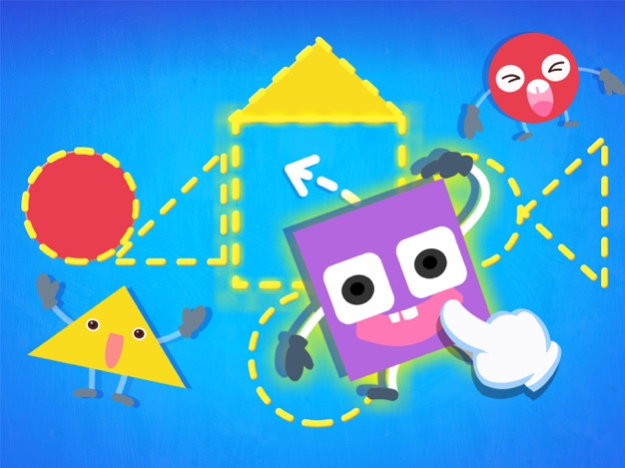

Combine circles, squares and triangles to turn them into a bear, a turtle and a flowerpot.
What else can these shapes transform into?
----Features----
【Train your brain】Besides a roly-poly, a magician and a bear, what else can those shapes transform into?
【Colorful animation】 Fun-filled animation, such as a skating bear, a singing flower, a color-changing lamp!
【Wacky special effects】Loads of surprises, such as a bear flattened by a snowball and a turtle who keeps toys in his shell, provide lots of fun and excitement!
【Simple and intuitive controls】 Touch the screen and get the shapes to move. Add more fun by giving kids shape-matching freedom!
【Useful tips】Don't know how to match the shapes? Touch the question mark for useful tips!
About BabyBus
—————
At BabyBus, we dedicate ourselves to sparking kids' creativity, imagination and curiosity,and designing our products through the kids' perspective to help them explore the world on their own.
Now BabyBus offers a wide variety of products, videos and other educational content for over 250 million fans from ages 0-8 around the world! We have produced more than 150 children's educational games, 700 children's songs, and animations of various themes spanning the arts, health, and science.
—————
Contact us: ser@babybus.com
Visit us: https://app.babybus.com
May 16, 2024
Version 9.73.0000
Fix some bugs
About Creative Shapes World—BabyBus
The company that develops Creative Shapes World—BabyBus is BABYBUS. The latest version released by its developer is 9.73.0000.
To install Creative Shapes World—BabyBus on your iOS device, just click the green Continue To App button above to start the installation process. The app is listed on our website since 2024-05-16 and was downloaded 13 times. We have already checked if the download link is safe, however for your own protection we recommend that you scan the downloaded app with your antivirus. Your antivirus may detect the Creative Shapes World—BabyBus as malware if the download link is broken.
How to install Creative Shapes World—BabyBus on your iOS device:
- Click on the Continue To App button on our website. This will redirect you to the App Store.
- Once the Creative Shapes World—BabyBus is shown in the iTunes listing of your iOS device, you can start its download and installation. Tap on the GET button to the right of the app to start downloading it.
- If you are not logged-in the iOS appstore app, you'll be prompted for your your Apple ID and/or password.
- After Creative Shapes World—BabyBus is downloaded, you'll see an INSTALL button to the right. Tap on it to start the actual installation of the iOS app.
- Once installation is finished you can tap on the OPEN button to start it. Its icon will also be added to your device home screen.
Version History
version 9.73.0000
posted on 2024-05-16
May 16, 2024
Version 9.73.0000
Fix some bugs
version 9.71.0000
posted on 2024-03-28
Mar 28, 2024
Version 9.71.0000
Fix some bugs
version 9.67.0000
posted on 2023-11-15
Nov 15, 2023
Version 9.67.0000
Fix some bugs
version 9.64.0000
posted on 2023-09-06
Sep 6, 2023
Version 9.64.0000
Fix some bugs
version 9.53.0002
posted on 2023-01-03
Jan 3, 2023
Version 9.53.0002
Fix some bugs
version 9.46.0000
posted on 2022-08-16
Aug 16, 2022 Version 9.46.0000
Fix some bugs
version 9.38.0000
posted on 2022-01-17
Jan 17, 2022
Version 9.38.0000
Some bugs were fixed.
version 9.37.0000
posted on 2021-12-05
Dec 5, 2021 Version 9.37.0000
Fix some bugs
